InteractionAdapt
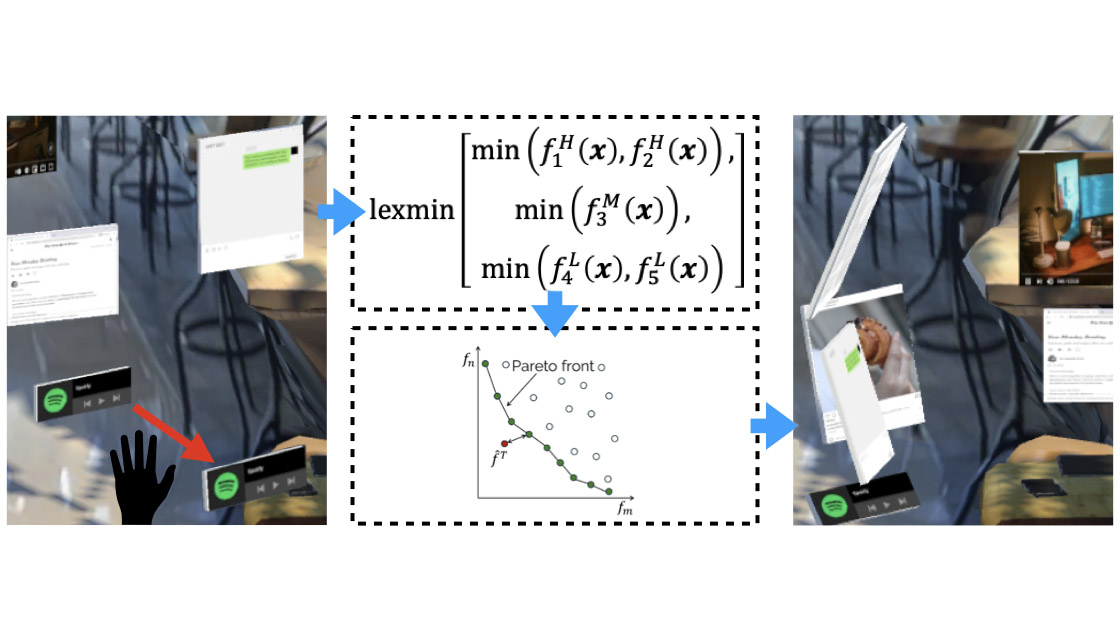
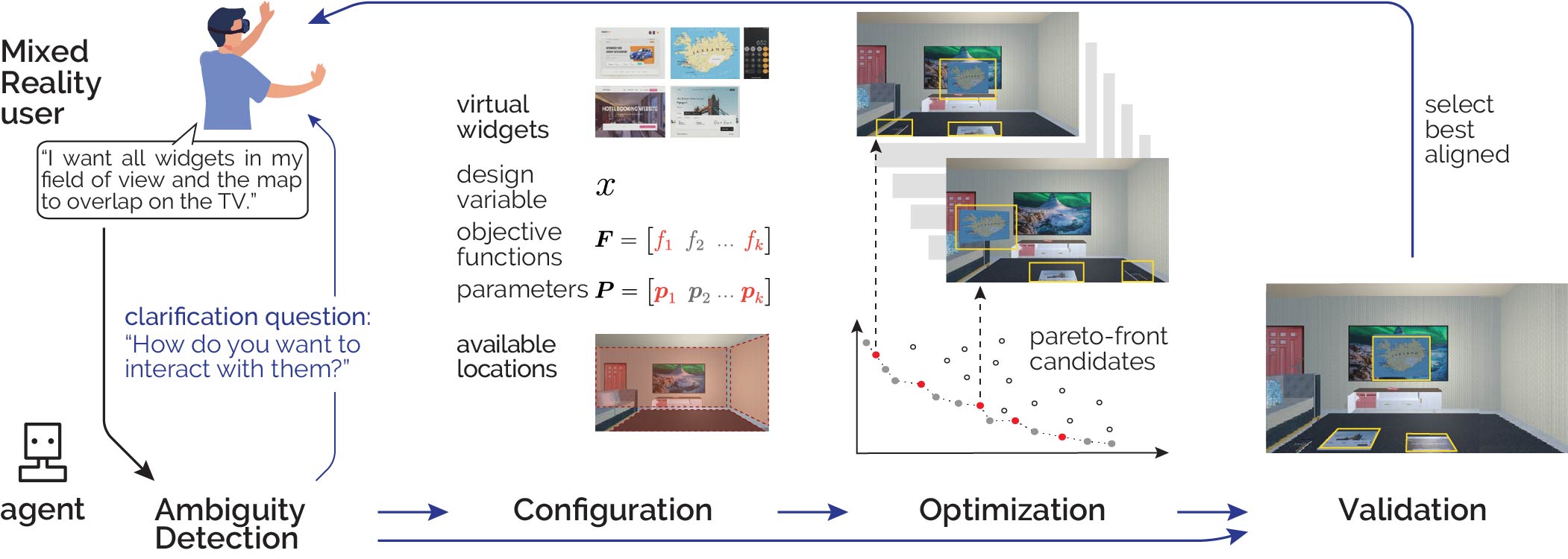
We present AutoOptimization, a novel multi-objective optimization framework for adapting user interfaces. From a user’s verbal preferences for changing a UI, our framework guides a prioritization-based Pareto frontier search over candidate layouts. It selects suitable objective functions for UI placement while simultaneously parameterizing them according to the user’s instructions to define the optimization problem. A solver then generates a series of optimal UI layouts, which our framework validates against the user’s instructions to adapt the UI with the final solution. Our approach thus overcomes the previous need for manual inspection of layouts and the use of population averages for objective parameters. We integrate a Vision-Language Model into our framework whose reasoning capabilities allow us to focus on the Pareto optimization, prioritize results, and validate outcomes. We evaluate each step of our framework inside a Mixed Reality use case and demonstrate that AutoOptimization effectively increases the usability of UI adaptation schemes.
Zhipeng Li, Christoph Gebhardt, Yi-Chi Liao, and Christian Holz. Automating UI Optimization through Multi-Agentic Reasoning. In Proceedings of ACM CHI 2026.
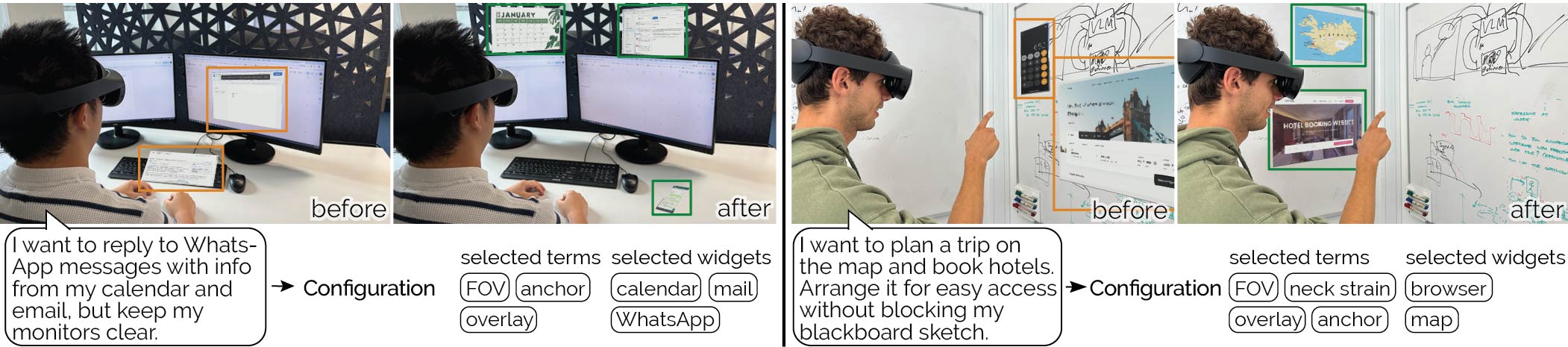
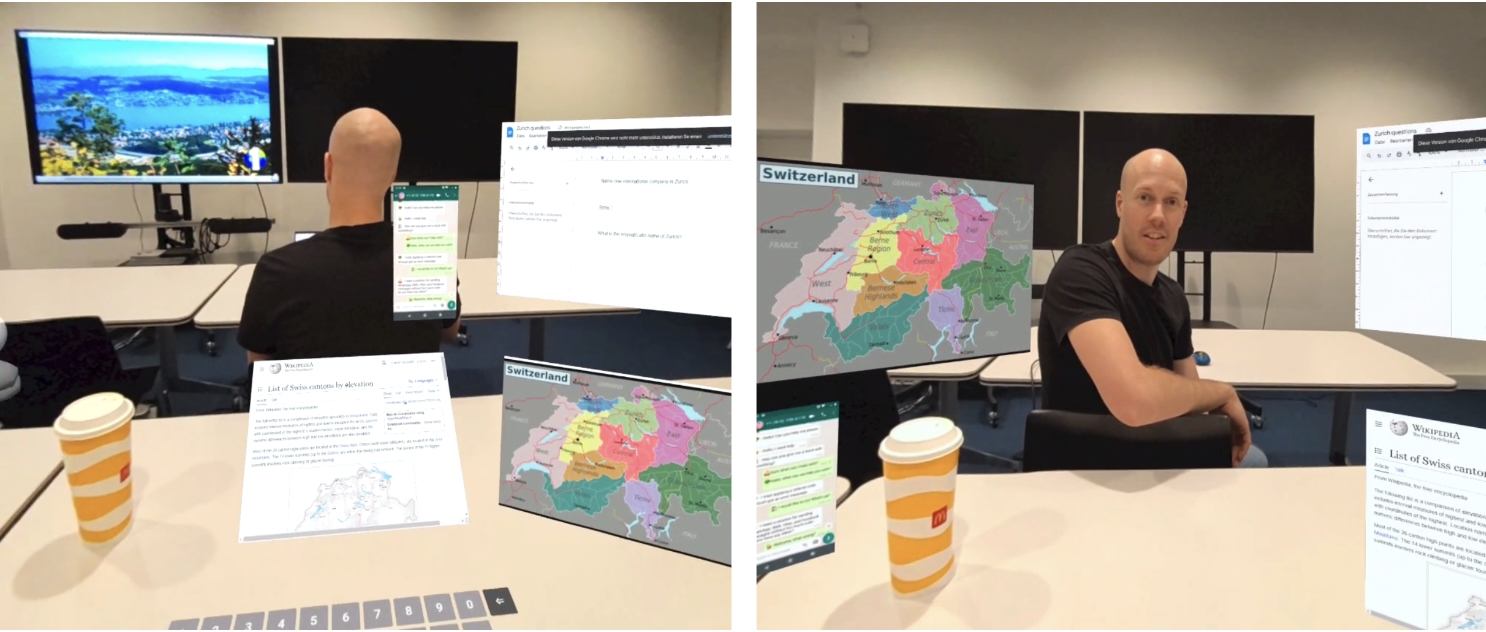
Figure 2: Illustrative demonstration of our Configuration component in a Mixed Reality context. Left: The user aims to reply to messages using information from virtual widgets while avoiding overlaying physical monitors. The Configuration module in our framework selects the objective terms that relate to the user’s expressed preferences, such that the Optimizer produces layouts that keep all widgets within the user’s field of view, the messenger anchored to the desk for haptic feedback, and the monitors visible and unoccluded. Right: The user plans a trip using a map and books a hotel while keeping the whiteboard sketch unobstructed. Our framework selects and displays the widgets relevant to the user’s instructions on the clean whiteboard.
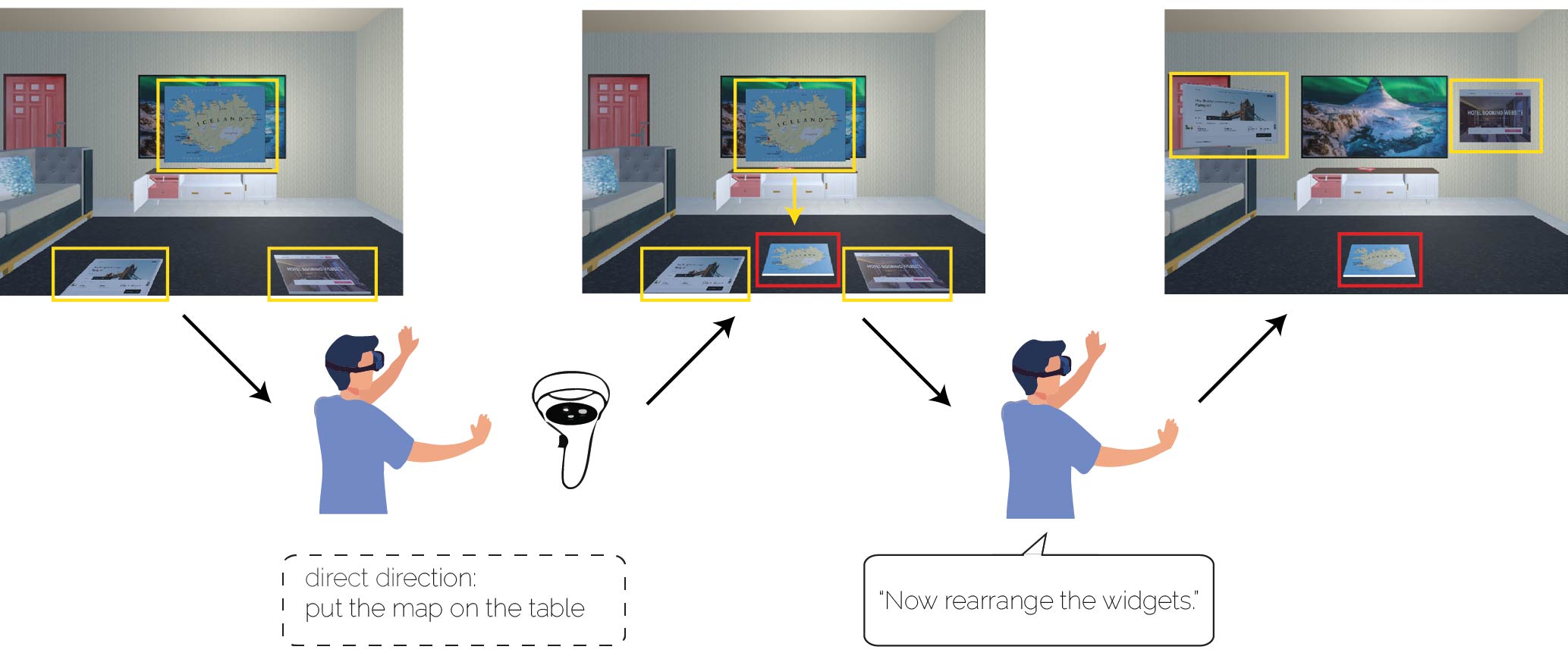
Figure 3: Illustration of integrating direct manipulation into AutoOptimization. When the user directly changes the position of an element (middle: moving the map from mid-air onto the table) and subsequently provides an additional instruction (e.g., “Now rearrange the widgets.”), AutoOptimization incorporates the user’s manipulation into the optimization process. The manipulation result is treated both as the starting point and as a strong constraint that must not be violated. For instance, moving the map away from the TV can be interpreted as a constraint to avoid blocking the TV. Based on this constraint, the system then optimizes the placement of the remaining elements (right).fidence interval of participant ratings per condition for overlaying- (left) and interaction suitability (right) over all UI elements and tasks.
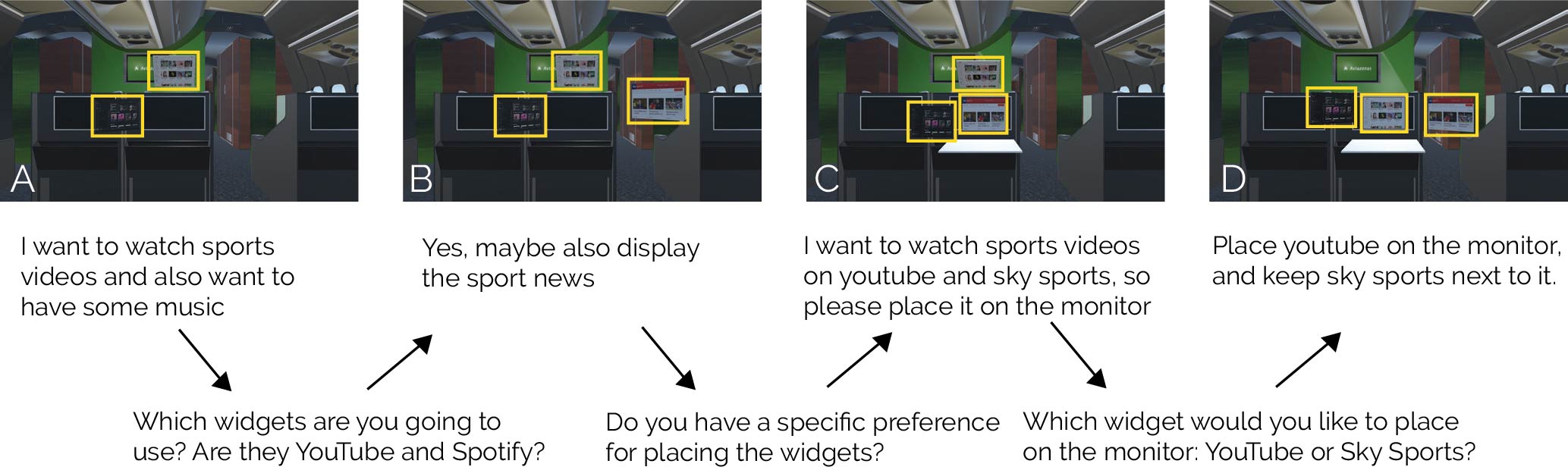
Figure 4: Examples of layouts generated from the user’s instructions, which were partially ambiguous or incomplete. Following answers to our framework’s clarification questions, the generated layouts were better aligned with the user’s instructions (a–d). Note: Only the final layout (d) is presented to the user, whereas results (a–c) are only generated as examples.